Works with REW
Talks directly to Room EQ Wizard's local API to capture measurements and apply changes. Supports Helix copy and paste EQ filters into DSP.
The app
Flat Liner Tuning is a desktop app that walks you through dialing in an active car-audio DSP system. It connects to Room EQ Wizard (REW), measures your system, and generates precise crossover, EQ, level, and time-alignment settings, one guided step at a time.
What it does
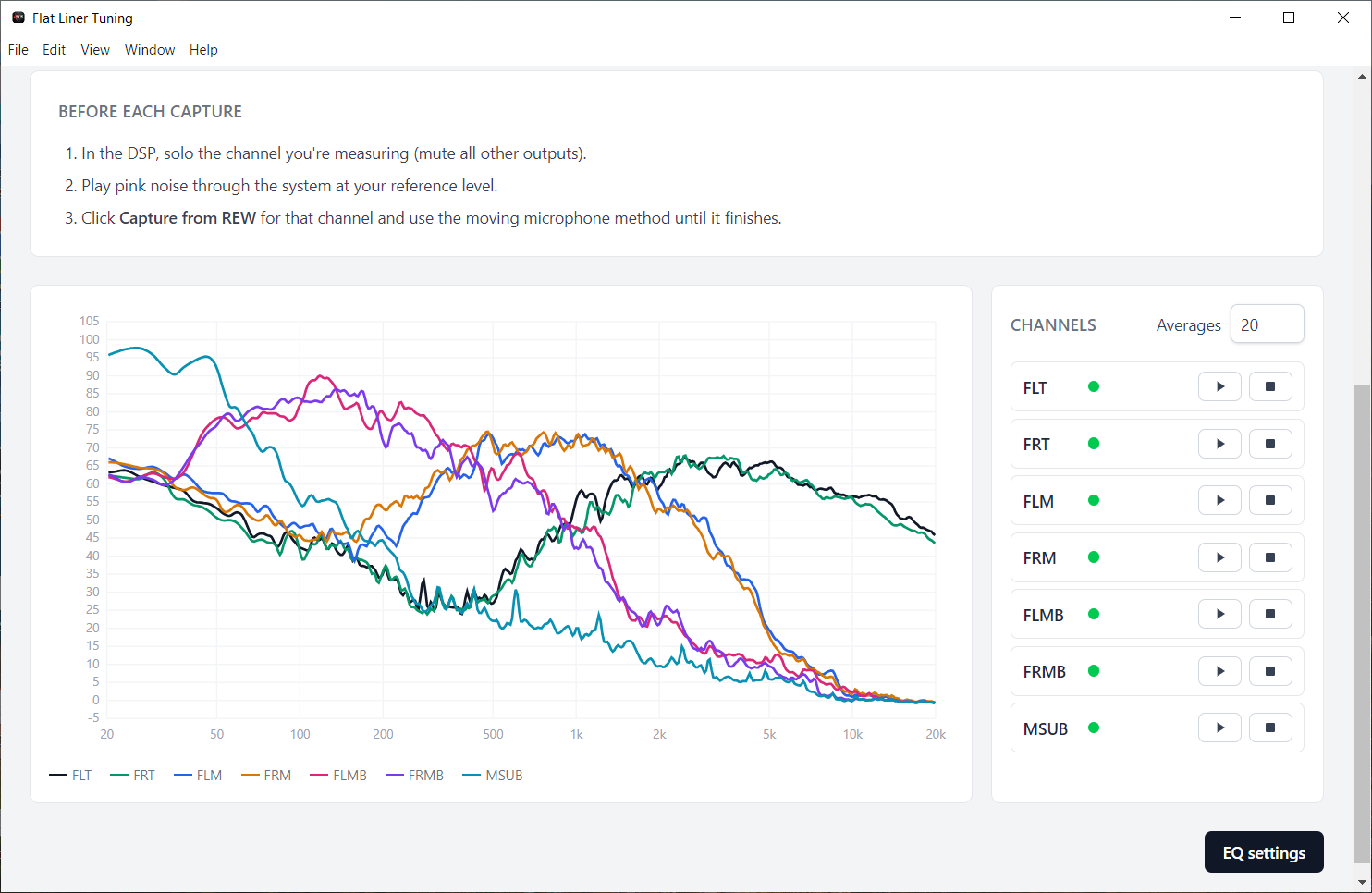
Talks directly to Room EQ Wizard's local API to capture measurements and apply changes. Supports Helix copy and paste EQ filters into DSP.
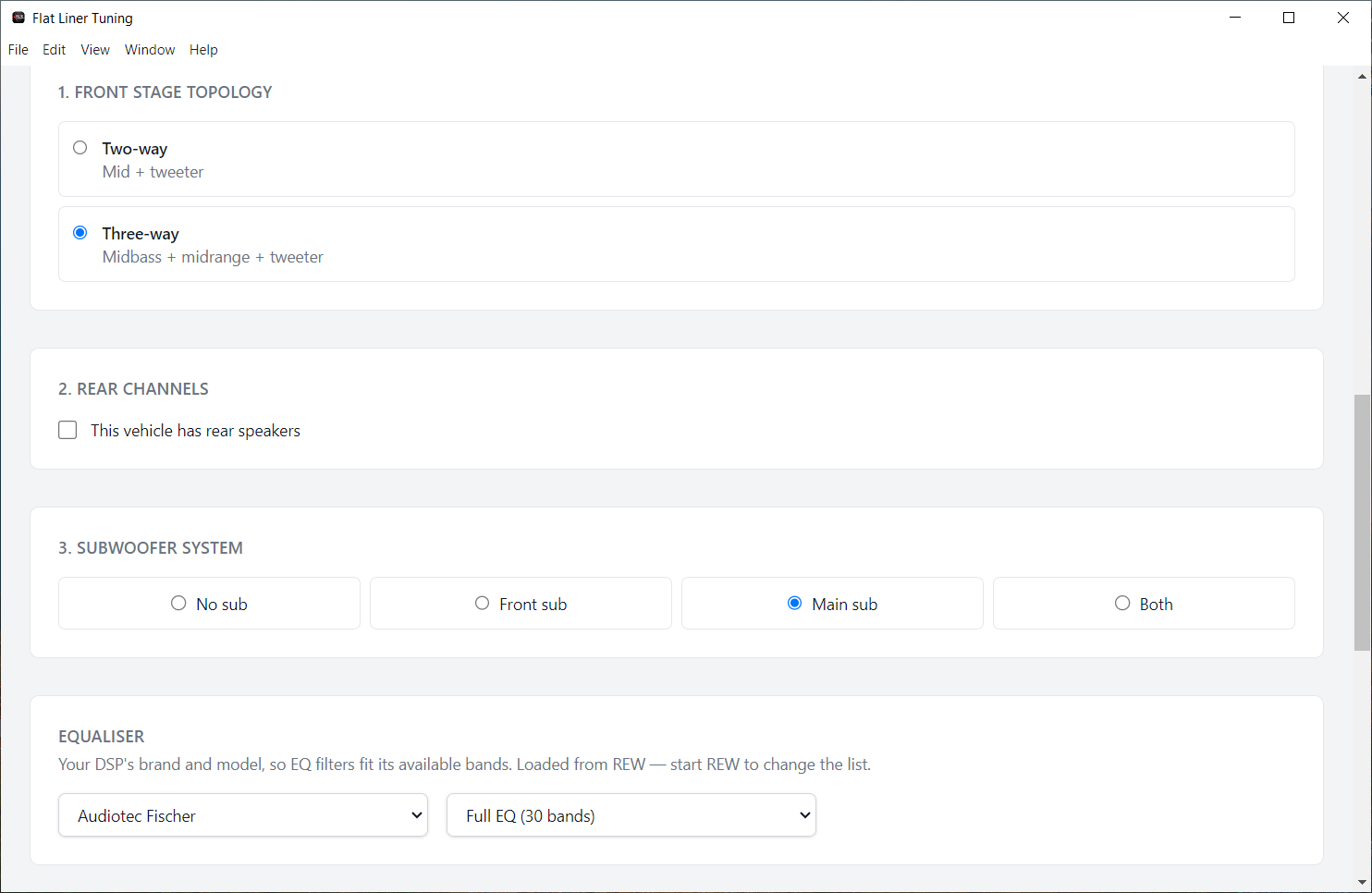
Asks one thing at a time, confirms every major decision, and never assumes your system layout. Built for active systems, not guesswork.
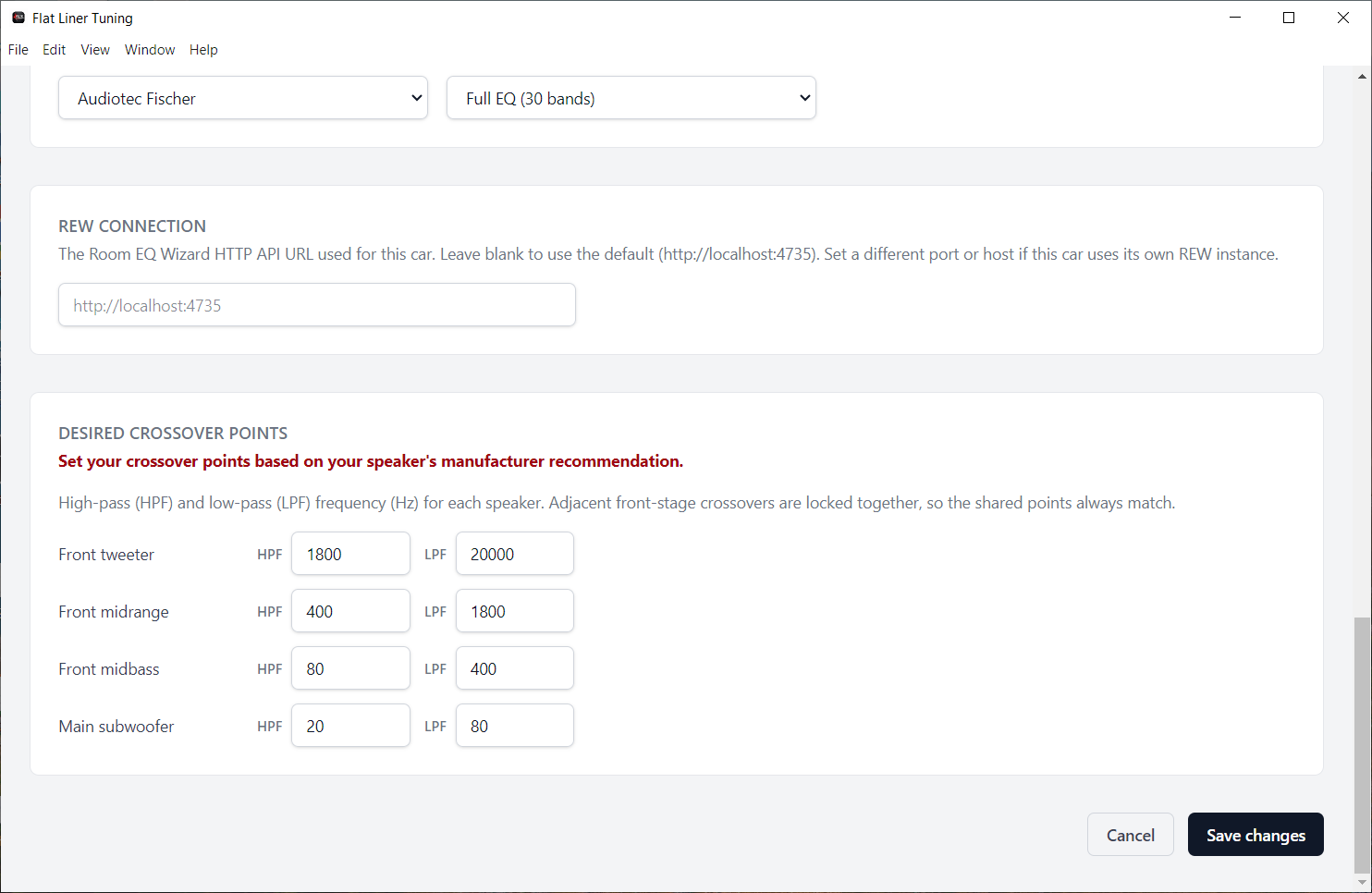
High-pass, low-pass, and band-pass for two-way, three-way, rear fill, and subwoofer topologies, set to your chosen crossover points.
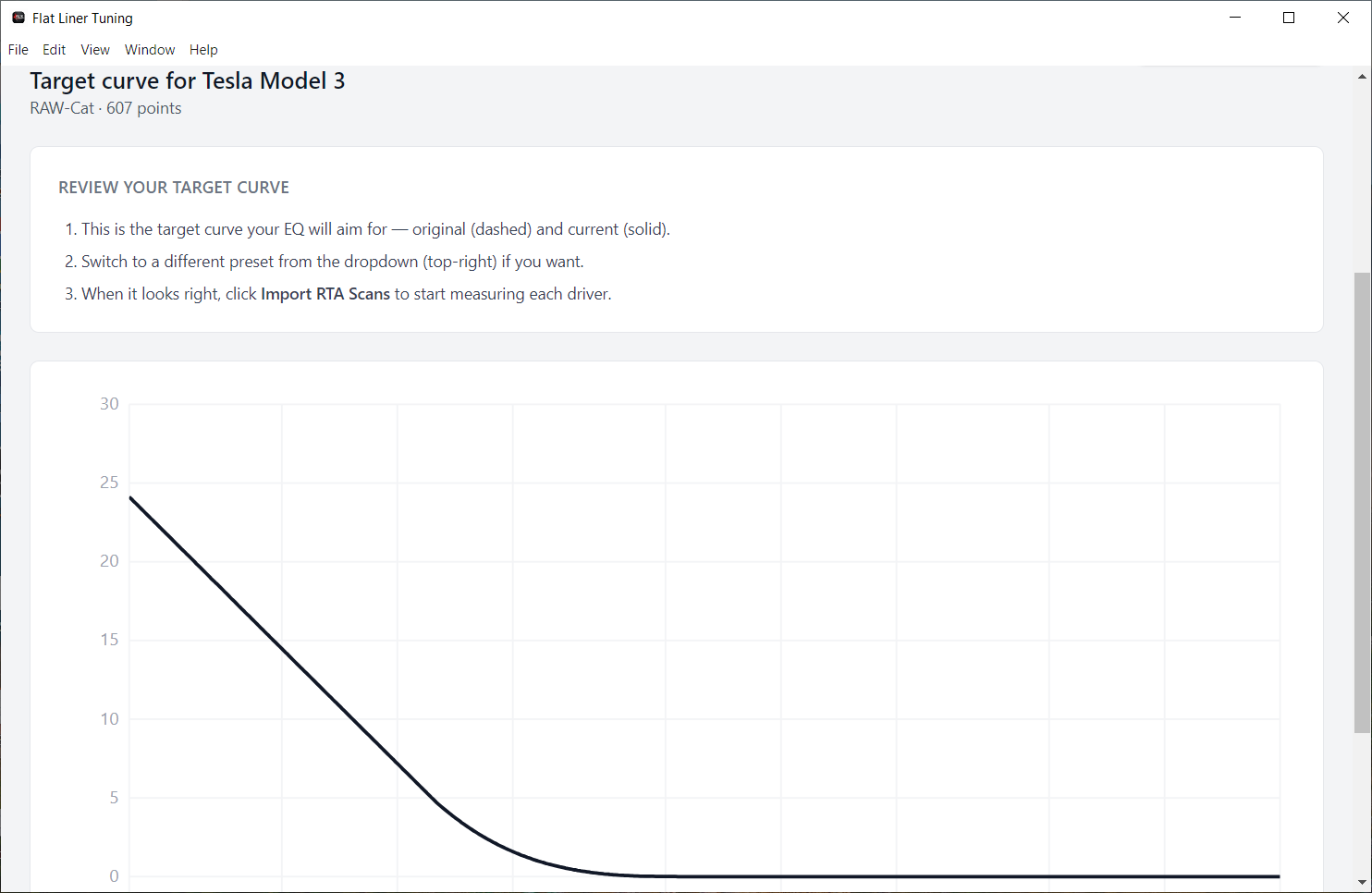
Runs an RTA measurement, applies your target curve, and generates the EQ filters to match it.
Normalizes front left/right, balances rear against front, and matches subwoofer level to the front stage.
Calculates per-channel delay from the physical distance of each speaker to your listening position.
Runs a post-tuning sweep and compares it against your target curve, then suggests adjustments where they're needed.
A self-contained desktop app for Windows and macOS. Installs everything it needs, and keeps your data local. Nothing in the cloud.
How it works
Front stage, rear channels, subwoofer topology, DSP channel mapping, and speaker distances.
Enable REW's API, load your mic calibration, and capture your system's response.
Crossovers, EQ to your target curve, level matching, and time alignment, calculated for you.
Load the generated EQ straight into your Helix DSP.
Run a final sweep against the target curve and fine-tune until it's right.
See it in action
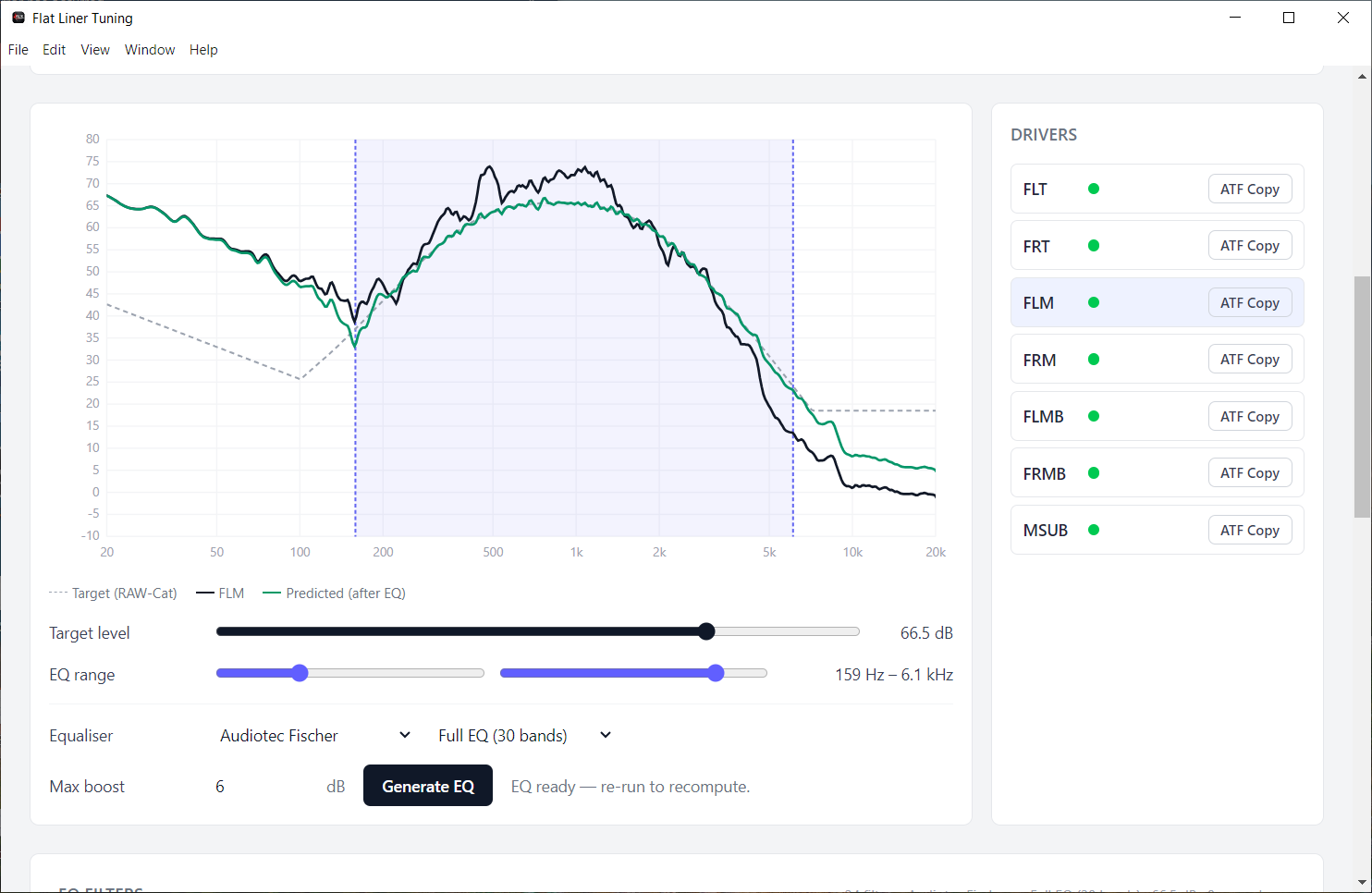
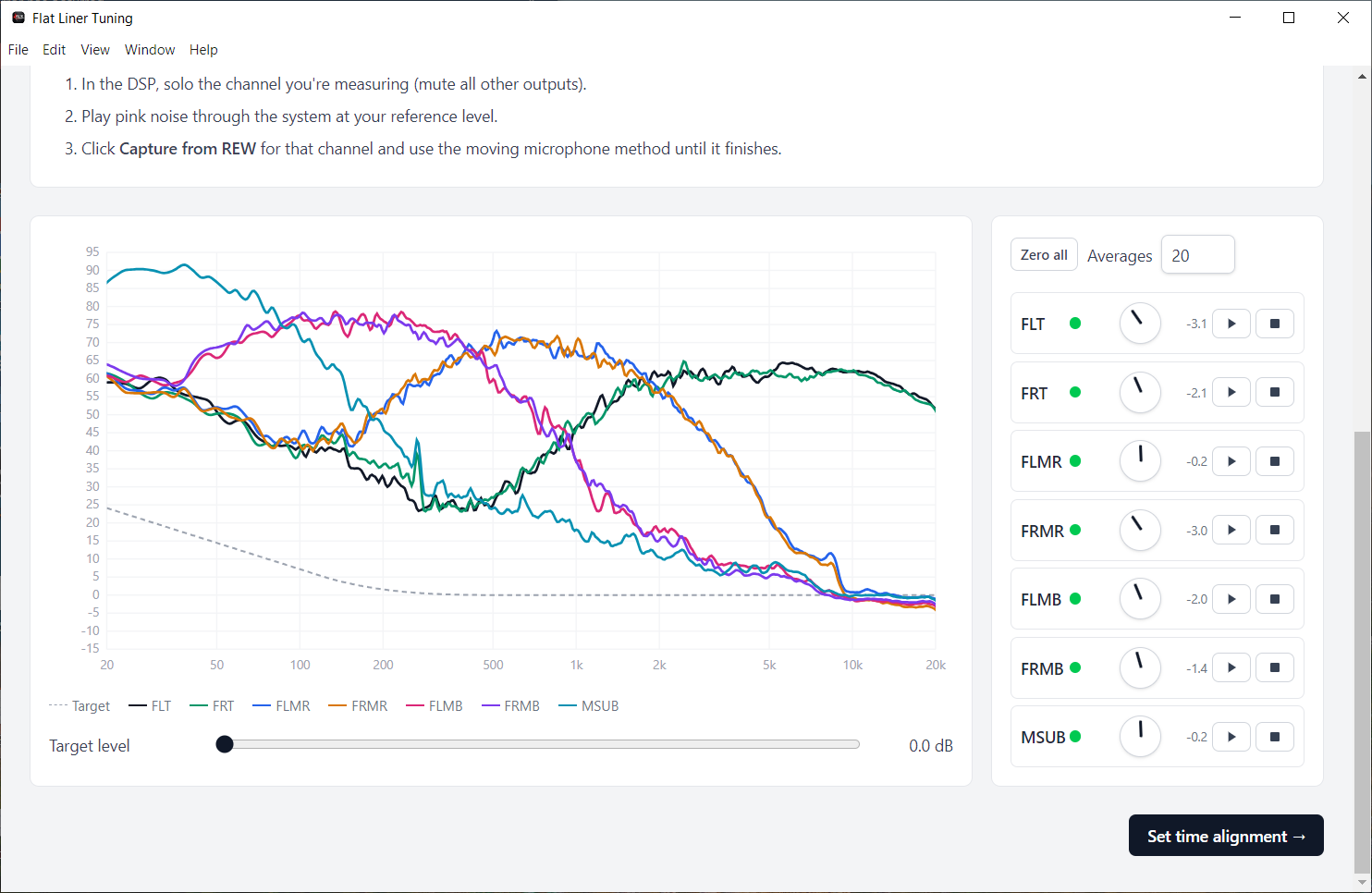
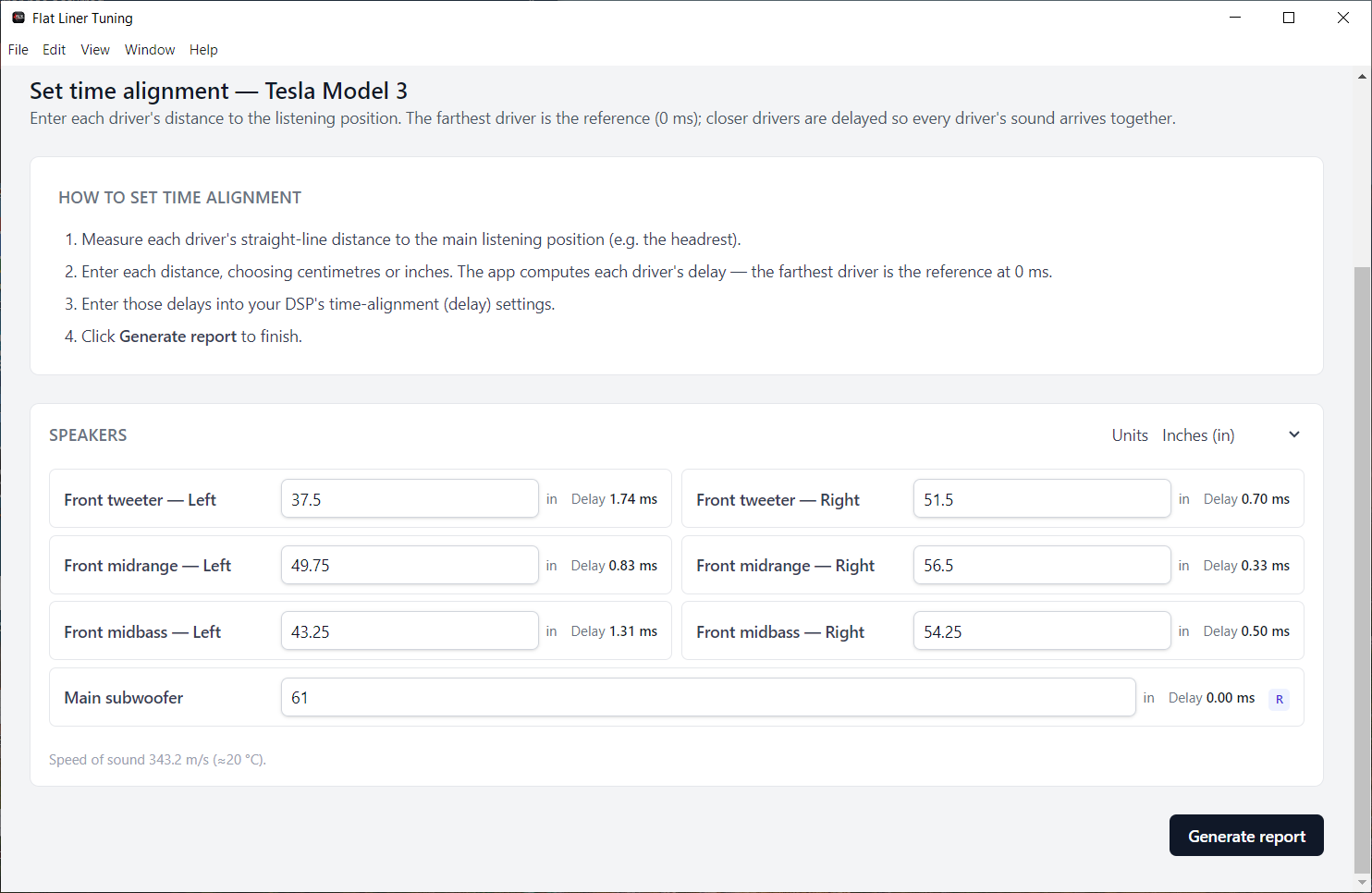
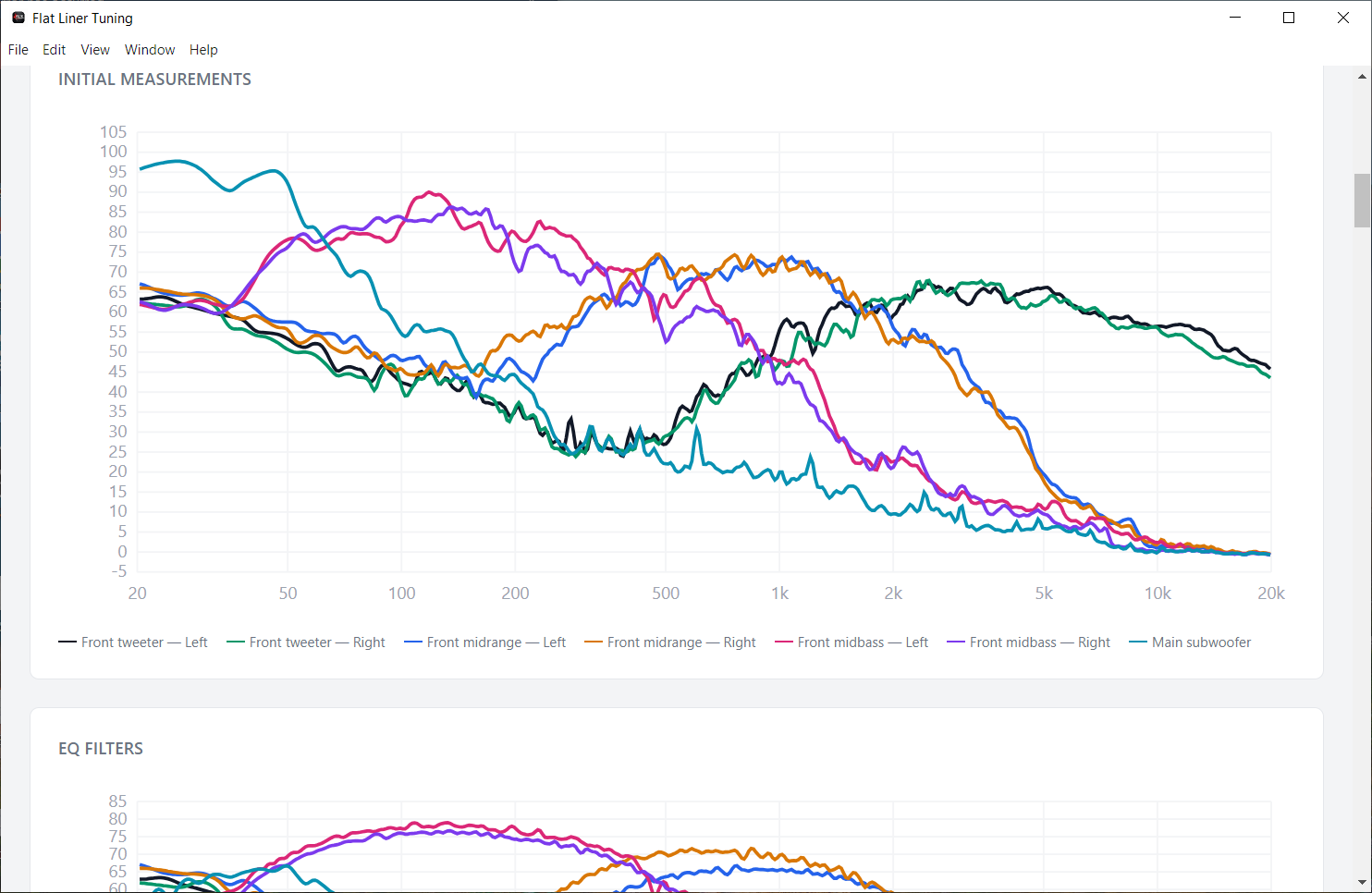
Sample output
Every tune finishes with a detailed report of your initial measurements, target curve, applied EQ, levels, and time alignment. Here is a complete example. Scroll through all pages below.
Before you start
System requirements
Flat Liner Tuning runs alongside REW, and REW does the heavy lifting: real-time sweeps, FFT analysis, and live graphing. These minimums are set deliberately above the bare floor so measurements stay reliable on the machine you actually take to the car.
Below these specs the app will usually still launch, but sweeps take longer, graphs redraw slowly, and REW can run out of memory on long measurement sessions. Netbooks, Atom/Celeron-class laptops, 4 GB machines, and mechanical hard drives are not recommended.
Pricing
Get the app
Grab the installer for your platform and start tuning. Questions first? Reach out any time.