Blogs · Tuning guide
What is auto EQ? And how Flat Liner Tuning helps
Auto EQ sounds like a one button fix. In a car, it is a measurement, a target, and a set of filters your DSP can actually run. Here is what that means, and how Flat Liner Tuning gets you there.
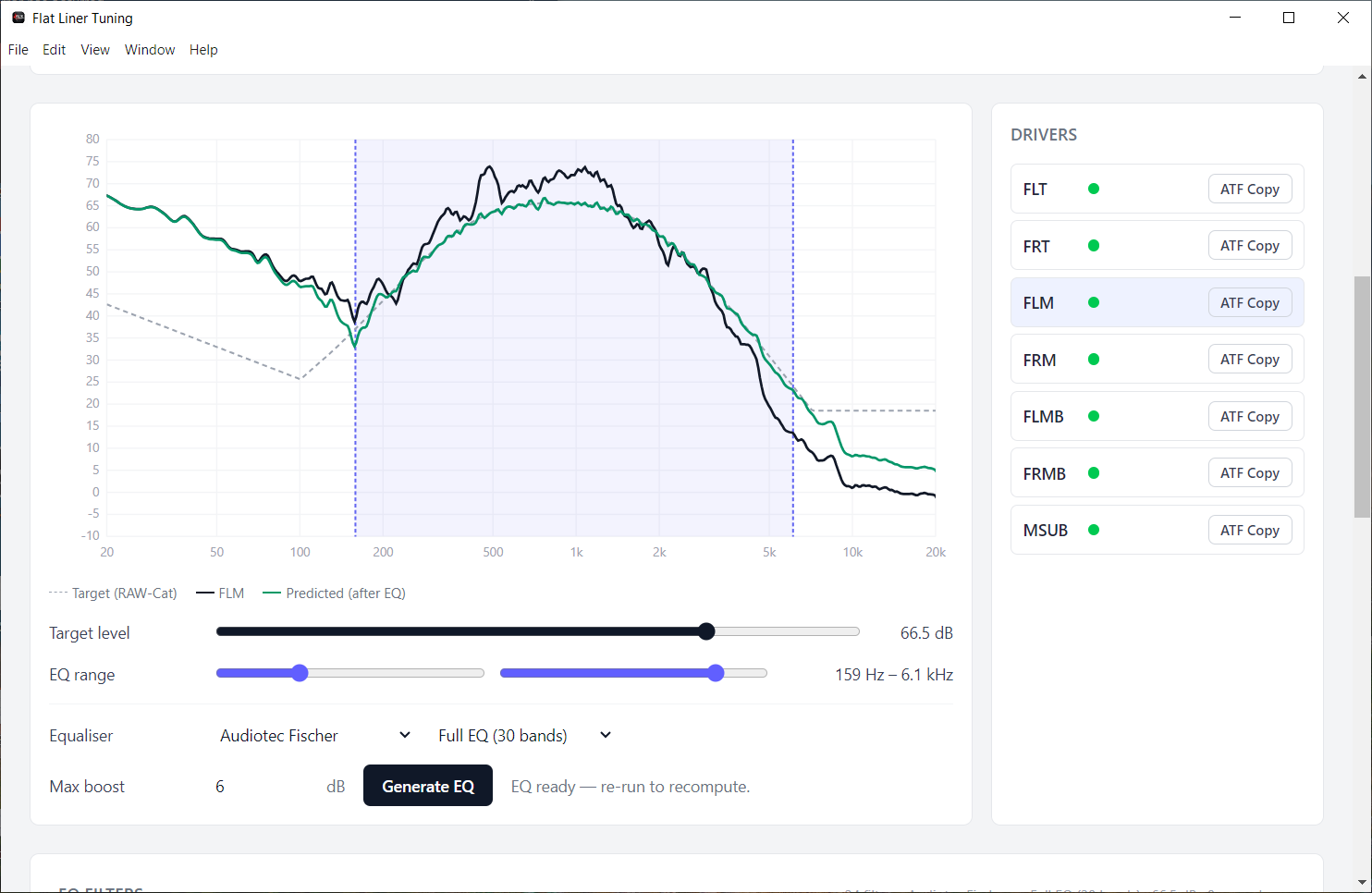
Search any car audio forum for “auto EQ” and you will see two camps. One side wants a button that makes the car sound right. The other side says auto EQ ruins a system. Both are reacting to the same problem. The tool that generates the filters is only as good as the measurement, the target, and the path into your DSP.
Room EQ Wizard (REW) can generate filters. Flat Liner Tuning uses that same measurement science and turns it into a guided step, with filters you can load instead of typing by hand.
What auto EQ actually is
Auto EQ is not a sound mode. It is a calculation. You measure the system. You pick a target curve. Software places parametric filters so the measured response moves toward that target.
Each filter is a small instruction:
- Frequency: where the bump or dip sits.
- Gain: how much to cut or boost.
- Q: how wide the correction is.
A DSP then runs those filters on each channel. If the measurement is noisy, the target is wrong, or the filters do not match what your DSP can do, “auto” still produces a bad tune. The math ran. The result just was not useful.
Why a car fights generic auto EQ
Home room auto EQ assumes a listener in the middle of a fairly stable space. A cabin is not that. You sit off center. Glass reflects treble. Door panels boom. The left and right paths are not the same length. A single house curve slapped on a summed measurement will hide those differences.
Car audio also needs the rest of the tune around the EQ. Crossovers decide what each driver is allowed to play. Levels decide how loud each band is. Time alignment decides when each arrival hits the seat. Auto EQ that ignores that order will chase problems it cannot fix with a peak filter.
That is why a head unit “auto EQ” or a one shot room correction often sounds thin or honky in a car. It optimized a graph. It did not walk the system.
REW’s auto EQ, and where people get stuck
REW includes EQ tools that can suggest filters against a target. That is real auto EQ, and it is the engine a lot of serious tuners already trust. The friction is everything around the button.
- The EQ window is easy to miss if you have never been shown it.
- Filter count, range, and boost limits have to match your DSP, or you get filters you cannot enter.
- A good target for a car is not a dead flat line. Most people want a gentle downward slope. Picking and loading that target is its own task.
- Even a clean set of filters still has to be typed into the DSP, band by band, channel by channel.
So the usual story is not “REW cannot do auto EQ.” It is that REW will do it, then leave you to copy numbers and hope you did not swap Q and gain on the last midbass.
What a useful auto EQ step looks like
In a car, auto EQ should be one clear step after the system is described and measured, and before you chase levels and delays.
- Measure each channel with a calibrated mic and REW.
- Choose a target curve that fits how you want the car to sound.
- Generate filters that stay inside your DSP’s band count and range.
- See the measured, target, and predicted curves together before you commit.
- Load those filters into the DSP without retyping them.
You still listen. You still decide the target. Auto EQ is doing the arithmetic, not replacing your ears.
How Flat Liner Tuning helps
Flat Liner Tuning talks to REW over its local API. You do not export files and import them again. You measure in the guided flow, pick a target, and the app generates the EQ for that measurement.
On the EQ step it will:
- Use the measurement you just captured, with car audio appropriate smoothing already in place.
- Aim at your target curve, not a mystery factory preset.
- Show measured, target, and predicted traces so you can see what the filters will do before they go into the DSP.
- Hand you filters your DSP can use, including Helix copy and paste, instead of a screenshot of REW’s EQ window.
After EQ, Flat Liner Tuning continues with level matching and time alignment as their own steps. That order matters. Auto EQ is not asked to fix a speaker that is simply louder than its pair, or a tweeter that arrives first because it sits closer to your ear.
The result is the same kind of correction a careful REW user would build, without the buried menus and the data entry marathon.
What auto EQ will not do
No auto EQ, including Flat Liner Tuning’s, can rescue a broken install. A speaker in the wrong place, a polarity swap, or a cabin rattle still has to be fixed in the car. A wild target will still sound wild. And you should still verify after the filters land.
Think of auto EQ as a fast, honest first correction. Flat Liner Tuning makes that correction visible and loadable. You keep the judgment. The app keeps the grind.
Ready to generate EQ you can actually use?
Flat Liner Tuning drives REW, aims at your target curve, and produces filters for your DSP. Measure once. See the prediction. Load the EQ. Then finish levels and time alignment in the same walkthrough.
Stop fighting REW. Start tuning smarter.